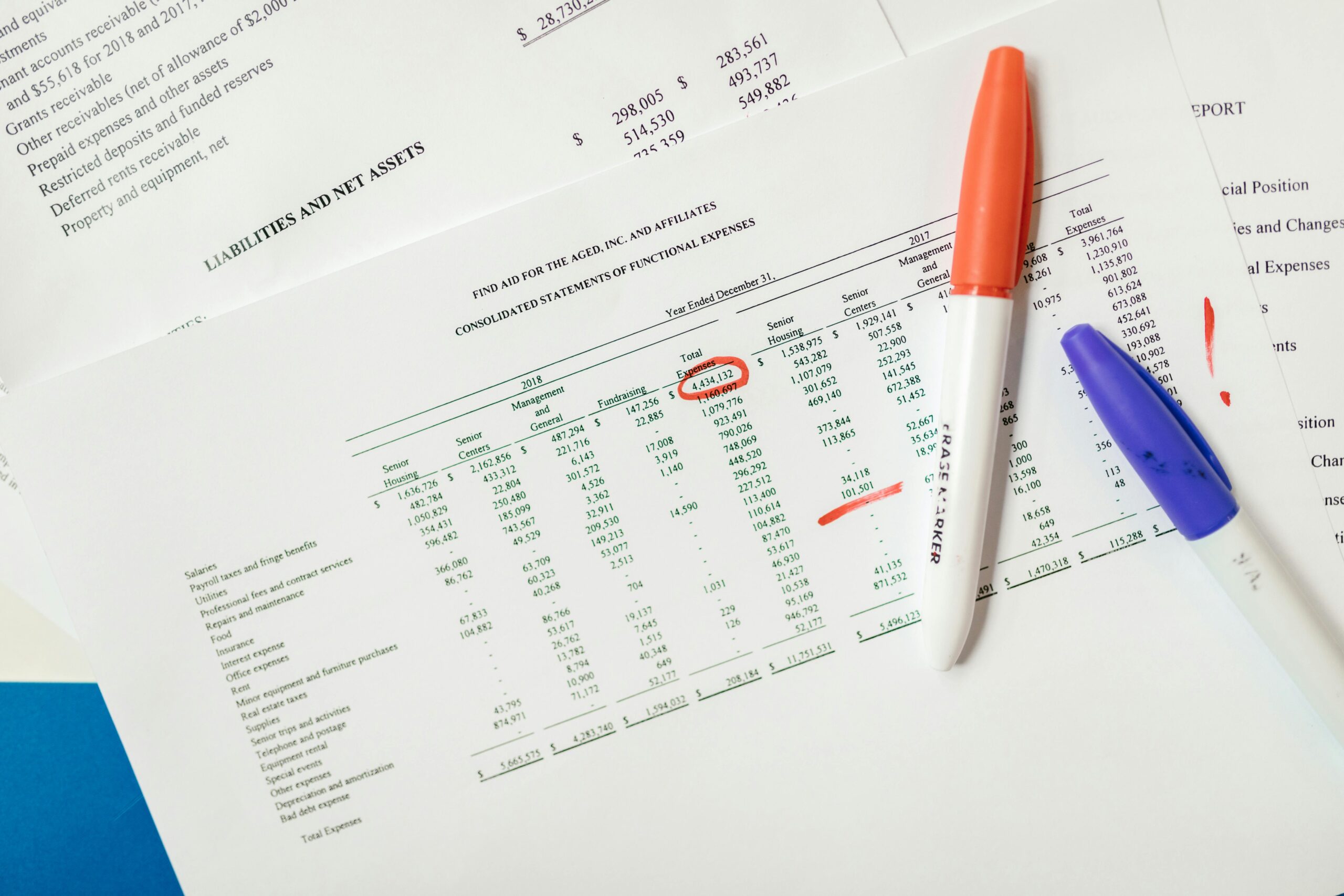
Keeping your charts and visual data up-to-date is essential for making informed business decisions and maintaining credibility with stakeholders in today’s fast-paced digital environment.

In a world where data drives decisions, outdated charts can lead to costly mistakes, miscommunication, and lost opportunities. Whether you’re a business analyst, marketing professional, project manager, or entrepreneur, mastering the art of updating charts is a critical skill that separates successful data-driven organizations from those that struggle with accuracy and relevance.
This comprehensive guide will walk you through proven strategies, common challenges, and practical solutions for keeping your visual data fresh, accurate, and impactful. Let’s dive into the essential techniques that will transform how you manage and maintain your data visualizations.
📊 Understanding the Critical Importance of Chart Updates
Data visualization isn’t a one-time task—it’s an ongoing process that requires consistent attention and maintenance. When charts become outdated, they don’t just lose their value; they actively misinform decision-makers and can damage your professional reputation.
Organizations that prioritize regular chart updates experience measurable benefits including improved decision-making speed, increased stakeholder confidence, and better resource allocation. Research shows that teams working with current visual data make decisions up to 40% faster than those relying on static or outdated information.
The cost of outdated visuals extends beyond just poor decisions. It affects team morale, client relationships, and competitive positioning in the marketplace. When your charts accurately reflect real-time or near-real-time data, you gain a significant advantage in identifying trends, spotting problems early, and capitalizing on emerging opportunities.
🎯 Identifying Common Data Update Challenges
Before we can master chart updates, we need to understand the obstacles that typically stand in our way. Recognizing these challenges is the first step toward developing effective solutions.
Manual Data Entry Bottlenecks
One of the most persistent challenges teams face is the time-consuming nature of manual data updates. When someone must physically input new numbers, copy-paste information from multiple sources, or manually adjust chart parameters, errors inevitably creep in and productivity suffers.
Manual processes also create dependency on specific individuals who “know how to update the charts,” leading to bottlenecks when those people are unavailable. This centralization of knowledge poses significant operational risks.
Multiple Data Sources and Integration Issues
Modern businesses rarely work with data from just one source. Customer information might live in a CRM system, sales data in an ERP platform, marketing metrics in analytics tools, and financial information in accounting software. Consolidating these disparate sources for chart updates presents a major challenge.
Format inconsistencies between systems, timing mismatches, and access restrictions all complicate the integration process. Without proper solutions, maintaining accuracy across multiple data streams becomes nearly impossible.
Version Control and Collaboration Conflicts
When multiple team members need to update or reference the same charts, version control problems emerge. Someone might be working with last week’s version while making critical decisions based on what they believe is current data.
Cloud-based solutions have improved this situation, but challenges remain around simultaneous editing, tracking changes, and maintaining a clear audit trail of who updated what and when.
⚡ Establishing Automated Update Systems
Automation represents the single most effective strategy for overcoming chart update challenges. By reducing manual intervention, you simultaneously improve accuracy, save time, and ensure consistency.
Leveraging Built-In Data Connection Features
Most modern spreadsheet and business intelligence platforms offer native data connection capabilities that automatically refresh charts when underlying data changes. Excel’s Power Query, Google Sheets’ connected sheets feature, and Tableau’s live connections exemplify this approach.
Setting up these connections requires initial configuration time, but the long-term payoff is substantial. Once established, your charts update automatically whenever source data changes, eliminating the manual refresh cycle entirely.
Start by identifying which of your charts would benefit most from live connections. Priority should go to frequently referenced dashboards, executive-level reports, and mission-critical monitoring displays.
Implementing API-Based Solutions
For organizations working with web-based data sources, API (Application Programming Interface) connections offer powerful automation possibilities. Most major platforms—from social media networks to financial systems—provide APIs that allow authorized applications to pull data programmatically.
While implementing API connections may require technical expertise, the investment pays dividends through real-time data access and elimination of manual export-import cycles. Consider partnering with your IT department or hiring a consultant for initial setup if you lack in-house technical resources.
Scheduled Refresh Protocols
Not all data needs real-time updating. For many applications, scheduled refreshes at specific intervals—daily, weekly, or monthly—provide the right balance between currency and resource efficiency.
Establish clear protocols that define refresh frequency based on data volatility and decision-making needs. Financial reports might need daily updates, while demographic analysis might only require monthly refreshes.
🛠️ Choosing the Right Tools for Chart Management
The tools you select for creating and maintaining charts significantly impact your ability to keep visuals fresh and accurate. Different scenarios call for different solutions.
Spreadsheet Applications for Flexible Updates
Excel, Google Sheets, and similar spreadsheet applications remain the workhorses of data visualization for good reason. They offer tremendous flexibility, familiar interfaces, and increasingly sophisticated data connection capabilities.
Google Sheets excels in collaborative environments where multiple users need simultaneous access and cloud-based storage is preferred. Its integration with other Google Workspace tools makes it particularly attractive for organizations already invested in that ecosystem.
Microsoft Excel provides more advanced analytical features and handles larger datasets more efficiently. For organizations with Microsoft 365 subscriptions, Excel’s Power BI integration creates powerful possibilities for sophisticated dashboards.
Dedicated Business Intelligence Platforms
As data complexity increases, specialized business intelligence (BI) tools like Tableau, Power BI, Looker, and Qlik become more appropriate. These platforms are specifically designed for handling multiple data sources, creating interactive visualizations, and enabling self-service analytics.
While BI platforms require steeper learning curves and often involve subscription costs, they deliver substantial value for organizations serious about data-driven decision-making. Their automated refresh capabilities, governance features, and advanced visualization options justify the investment for many businesses.
Mobile Chart Management Solutions
In an increasingly mobile world, the ability to view and even update charts from smartphones and tablets has become essential. Most major platforms now offer mobile applications that provide on-the-go access to your visual data.
For teams that need to monitor key metrics remotely or update information while in the field, mobile capabilities aren’t just convenient—they’re mission-critical. When evaluating tools, test their mobile experiences thoroughly to ensure they meet your team’s needs.
✅ Implementing Quality Control Measures
Automation and the right tools are essential, but they don’t eliminate the need for quality control. Even automated systems require oversight to ensure accuracy and catch anomalies.
Establishing Data Validation Rules
Build validation checks into your data update processes to catch errors before they propagate into your charts. These might include range checks (ensuring values fall within expected parameters), consistency checks (verifying that related data points align logically), and completeness checks (confirming all required data is present).
Most spreadsheet and database systems allow you to program these validation rules directly, creating automatic alerts when data falls outside expected parameters.
Creating Update Documentation and Standards
Document your chart update processes thoroughly, even when they’re largely automated. This documentation should cover data sources, refresh schedules, validation procedures, and troubleshooting steps for common issues.
Clear documentation ensures continuity when team members change, simplifies training for new staff, and provides a reference for auditing and compliance purposes. Make these documents easily accessible and keep them updated as processes evolve.
Regular Accuracy Audits
Schedule periodic audits where you manually verify that automated updates are working correctly and that charts accurately represent source data. The frequency of these audits should reflect the criticality of the data and the maturity of your automated systems.
During audits, also review whether your charts still serve their intended purposes effectively. Business needs evolve, and visualizations that were once useful may become obsolete or require redesign.
🚀 Optimizing Chart Design for Easy Updates
The way you initially design your charts significantly impacts how easily they can be updated over time. Forward-thinking design choices save countless hours of future maintenance.
Using Dynamic Ranges and Named References
Instead of hard-coding cell references in your charts, use dynamic named ranges that automatically expand as new data is added. This simple technique prevents the common problem of charts that miss newly added rows or columns.
In Excel, the OFFSET and COUNTA functions create dynamic ranges, while Google Sheets’ named ranges can reference open-ended ranges that automatically include new data.
Separating Data from Presentation
Maintain clear separation between your raw data, calculated fields, and presentation layer. This architectural approach simplifies updates by allowing you to change underlying data without breaking chart references or requiring design adjustments.
Consider using separate worksheets or even separate files for data storage versus visualization, connected through references or data connections. This structure also improves performance when working with large datasets.
Templating for Consistency
Create chart templates for commonly used visualization types within your organization. These templates should include your brand colors, fonts, standard formatting, and best-practice design elements.
Templates ensure visual consistency across reports while dramatically speeding up the creation of new charts. They also simplify updates by maintaining familiar structures that team members understand intuitively.
📈 Handling Special Update Scenarios
Some situations require specialized approaches to chart updating that go beyond standard procedures.
Managing Historical Data Revisions
When historical data needs correction or revision, you face the challenge of updating charts without losing the narrative of what was previously understood. Best practices include maintaining clear version histories, annotating charts when significant revisions occur, and documenting the reasons for historical changes.
Consider implementing systems that track both original and revised figures, allowing stakeholders to understand how interpretations may have evolved.
Dealing with Data Gaps and Interruptions
Real-world data collection isn’t always perfect. Systems go down, sensors malfunction, and manual recording processes miss entries. Your chart update procedures need strategies for handling these gaps gracefully.
Options include interpolation (estimating missing values based on surrounding data), leaving gaps visible in charts to acknowledge missing data, or using alternative data sources to fill holes. The appropriate choice depends on your specific context and the uses of your visualizations.
Scaling Update Processes as Data Volume Grows
Processes that work well with dozens of charts may break down when you’re managing hundreds or thousands. As your data visualization portfolio grows, you’ll need to evolve your approaches.
This might involve investing in enterprise-grade BI platforms, implementing data warehouse solutions, or creating custom applications. Plan for scalability from the beginning by choosing tools and architectures that can grow with your needs.
💡 Fostering a Culture of Data Currency
Technical solutions alone won’t ensure your charts stay fresh and accurate. You also need organizational commitment to data quality and timeliness.
Assigning Clear Responsibilities
Designate specific individuals or teams as owners for different datasets and their associated visualizations. These data stewards should understand the importance of timely updates and have the authority and resources to maintain quality.
Clear ownership prevents the diffusion of responsibility where everyone assumes someone else is handling updates.
Training and Skill Development
Invest in training that helps team members understand both the technical aspects of chart updates and the broader importance of data accuracy. When people understand why currency matters, they’re more likely to prioritize it appropriately.
Regular workshops, lunch-and-learn sessions, and documentation resources all contribute to building organizational capability in data visualization management.
Celebrating Data Quality Wins
Recognize and celebrate when accurate, timely data leads to better decisions or prevents problems. These success stories reinforce the value of maintaining chart currency and motivate continued diligence.
Share examples where up-to-date visualizations enabled early problem detection, identified opportunities, or streamlined decision-making processes.
🔄 Continuously Improving Your Update Processes
The journey to mastering chart updates never truly ends. Technology evolves, business needs change, and new best practices emerge continuously.
Establish regular reviews of your chart update processes, soliciting feedback from users about what’s working and what needs improvement. Track metrics like time spent on updates, error rates, and user satisfaction to identify opportunities for refinement.
Stay informed about new features in your chosen tools and emerging technologies that might streamline your workflows. The data visualization landscape evolves rapidly, and staying current with capabilities can provide significant competitive advantages.
Consider joining professional communities focused on data visualization and business intelligence. These networks provide valuable opportunities to learn from others’ experiences, discover innovative approaches, and stay ahead of industry trends.
🎨 Making Fresh Data Visually Engaging
Keeping data fresh matters little if your visualizations fail to engage their intended audiences. Combine technical currency with design excellence to maximize impact.
Experiment with different chart types to find those that most effectively communicate your specific messages. While bar charts and line graphs remain workhorses, don’t overlook alternatives like heat maps, scatter plots, waterfall charts, and interactive dashboards when they better serve your purposes.
Pay attention to color choices, ensuring they’re both aesthetically pleasing and functional. Colors should highlight key insights, maintain brand consistency, and remain accessible to color-blind users.
Add contextual elements like annotations, trend lines, and reference markers that help viewers interpret data correctly. A chart that’s technically accurate but poorly understood fails its fundamental purpose.

🌟 Transforming Chart Management from Burden to Asset
When approached strategically, chart updating transforms from a tedious administrative task into a valuable organizational capability that drives better decisions and competitive advantage.
The strategies outlined in this guide—automation, appropriate tool selection, quality control measures, smart design choices, and cultural commitment—work synergistically to create systems that maintain data currency with minimal friction.
Start by assessing your current state honestly. Where are your biggest pain points in keeping charts updated? Which visualizations cause the most problems or consume the most time? Use these insights to prioritize your improvement efforts.
Implement changes incrementally rather than attempting a complete overhaul overnight. Select one high-impact area, apply relevant strategies from this guide, measure results, and then expand to additional areas. This approach builds momentum while minimizing disruption.
Remember that perfection isn’t the goal—consistent improvement is. Even small enhancements in how you manage chart updates compound over time, creating substantial cumulative benefits for your organization.
By mastering the art of updating charts, you position yourself and your organization to make faster, better-informed decisions based on accurate, current information. In today’s competitive environment, this capability isn’t just nice to have—it’s essential for success. Take control of your data visualization processes today, and watch as fresh, accurate charts transform how your organization operates and competes. 📊✨